
Mailinator and Tmail serve different audiences. One is built for developers with shared public inboxes; the other is built for private everyday use. Here is the honest comparison.
Mailinator and Tmail are frequently compared because both are free, both require no signup, and both let you receive email without a permanent address. In practice they are almost opposite products. Understanding the difference saves you from picking the wrong one for your use case.
How Mailinator works
Mailinator's model is intentionally open: any email sent to any address at mailinator.com (and several associated domains) lands in a public inbox that anyone can read. There is no password, no private access, and no expectation of confidentiality. This design makes Mailinator fast and frictionless for automated testing — your test pipeline knows the inbox name and can read it without any authentication. It makes Mailinator completely unsuitable for anything where the email content should be private.

How Tmail works
Tmail generates a private inbox protected by a password you set at creation. Only someone with that email address and password can read the messages inside. This makes Tmail suitable for private use — personal signups, verification emails you do not want anyone else to read, accounts where the inbox content might include sensitive information.
Side-by-side comparison
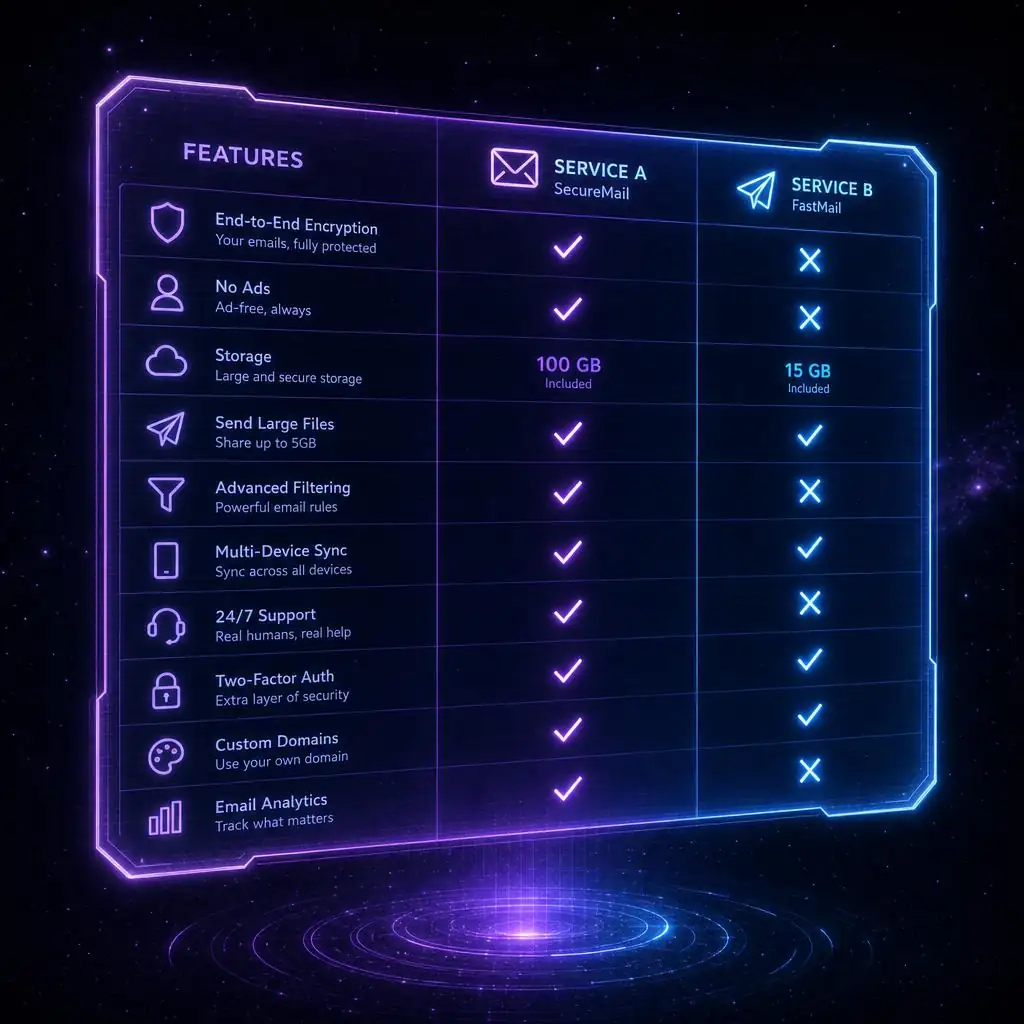
- Inbox privacy: Mailinator is fully public; Tmail is private and password-protected.
- Automated access: Mailinator (free tier) is accessible without auth; Tmail requires browser-based login.
- Use case: Mailinator for test pipelines and QA; Tmail for private personal and professional use.
- Message retention: Mailinator cleans up messages quickly; Tmail message availability follows its published policy.
- Mobile experience: Tmail is mobile-first; Mailinator's free tier is functional but dated on mobile.
What "public inbox" means in practice
On the free public tier there is nothing to create. You invent a name, say qa-run-42, send mail to that name at the public domain, and then open the inbox called qa-run-42. So can anyone else who types the same name. Short and obvious names — test, admin, john, hello — are read by strangers all day long, and whatever lands there (a welcome email with your name in it, a reset link, an order receipt) is visible to them too.
A long random inbox name makes a collision unlikely, but that is obscurity, not access control: the name is the only thing standing between the mail and anyone who learns or guesses it. For synthetic test data that is perfectly fine. For a real person's account it is not.
Where Mailinator is the better choice
- Automated end-to-end tests. A script can pick an inbox name, trigger the signup email and check that it arrived without creating or logging into anything first. Mailinator's paid plans add an API, private domains and team features built for exactly this.
- Shared QA inboxes. Five testers can watch the same inbox without passing a password around.
- Throwaway volume. If a test run needs two hundred addresses that nobody will ever look at again, a model with no setup at all is hard to beat.
Where Tmail is the better choice
- Anything a real person signs up for. The verification email, and every message after it, sits behind a password instead of in the open.
- Manual and exploratory testing of your own product. Open a private inbox, run your signup or password-reset flow by hand, and read the message as a user would see it, including on a phone.
- Coming back later. With the saved address and password you can open the same inbox on another device while the mailbox is available.
- Reading codes quickly. The inbox checks for new mail on its own, and one-time codes are picked out of the message so you do not have to search for them.
Limits on the Tmail side
To keep this comparison fair: Tmail is receive-only, so it cannot test a reply path. It shows the 100 most recent messages per inbox and accepts attachments up to about 2 MB. There is no open, keyless API; the developer API is in private beta and needs a key, so a CI pipeline cannot simply start calling it. And guest inboxes have no guaranteed lifetime, so do not build a long-running test fixture on one.
A quick way to decide
- Will a script read the email, with no human involved? Use a tool built for automation, such as Mailinator.
- Would it matter if a stranger read the message? If yes, do not use a public inbox.
- Is the data real — a real name, a real order, a real login? Use a private inbox, or your own address.
- Is it a test of a system you own or are authorised to test? Either tool works; choose by whether a script or a person will read the mail.
Frequently Asked Questions
Is Mailinator free?
Mailinator's public inbox tier is free. Private domain access and API features require a paid plan.
Can I use Tmail for automated testing?
Tmail is a browser-based, receive-only service. Its developer API is in private beta and requires a key, so there is no open API to script against. It works well for manual and exploratory testing but is not designed for fully automated pipelines.
Can someone else read my Mailinator inbox?
On the public tier, yes. Anyone who enters the same inbox name sees the same messages. Treat everything sent there as public and use it only for test data.
Is a long random inbox name on a public service safe enough?
It lowers the chance of someone stumbling on the inbox, but there is still no password. Anyone who sees the address, for example in a log, a screenshot or a shared test report, can open it.
Does Mailinator work with all email senders?
Some services block known testing domains including Mailinator. If a service rejects testing or temporary email, use an address type it accepts rather than trying to work around that requirement.
Sources & references
#mailinator vs tmail#mailinator alternative#temp email for developers#test email service#disposable email testing