
Yopmail has been around since 2004 and is one of the most recognised names in disposable email. Here is how it stacks up against Tmail for modern everyday use in 2026.
Yopmail has been running since 2004 and is one of the longest-surviving disposable email services on the public internet. That longevity is both a strength and a limitation — it means the domain is well-established, but also that the service has not kept pace with how people use email in 2026, particularly on mobile.
How Yopmail works
Yopmail uses a public inbox model: any address at @yopmail.com is accessible to anyone who types it in. There is no password, no private access. You create a username, append @yopmail.com, and use it — anyone who knows that address can read its mail. This makes Yopmail unsuitable for anything where the email content should be private, but perfectly usable for simple one-time verifications where privacy is not the concern.
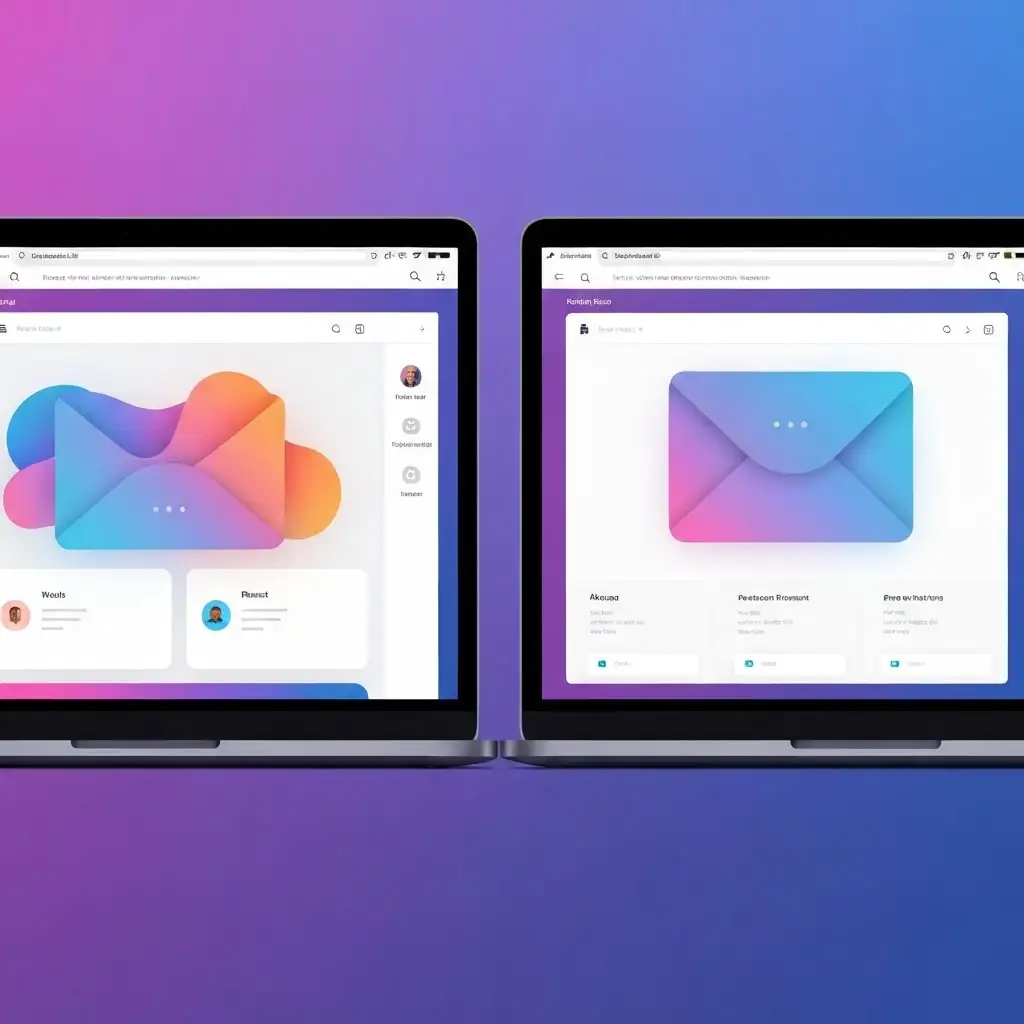
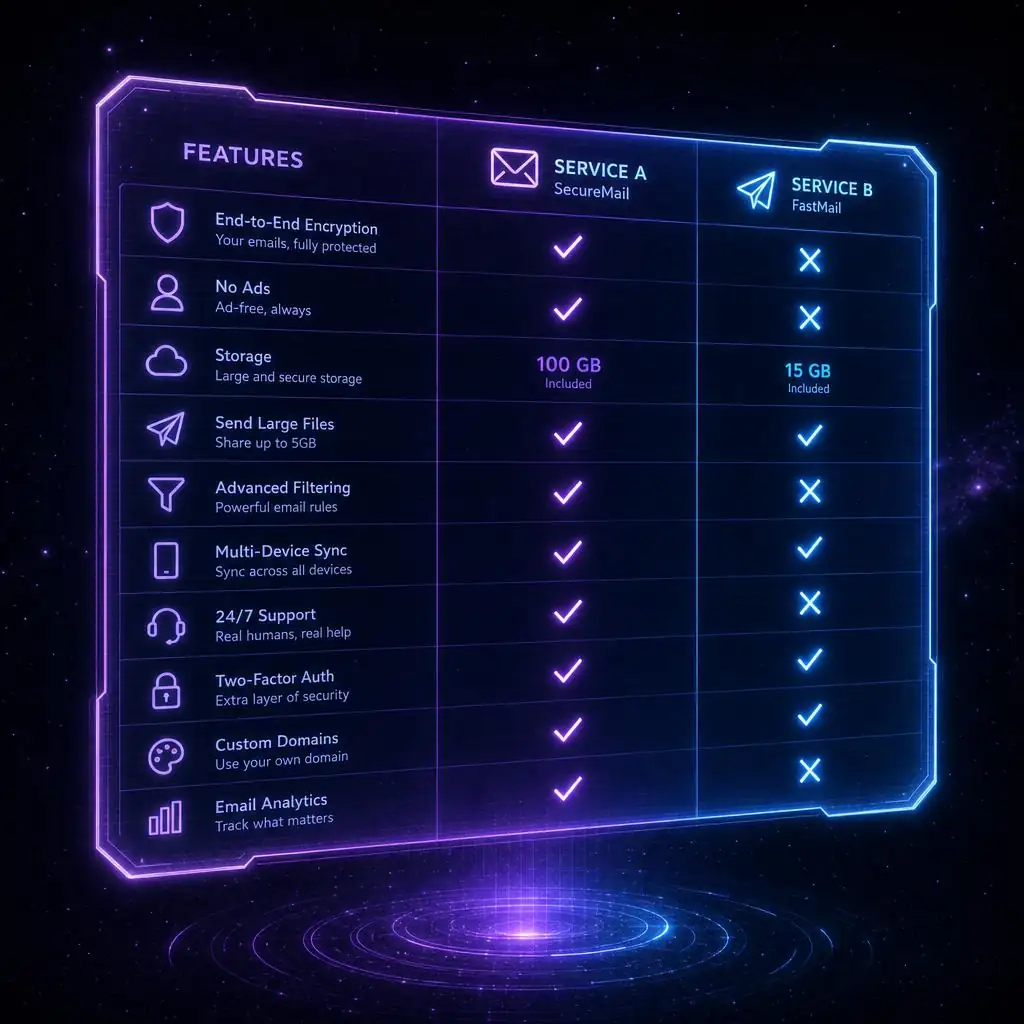
Key differences at a glance
- Privacy model: Yopmail is public (any inbox readable by anyone who knows the address); Tmail is private and password-protected.
- Mobile experience: Tmail is mobile-first with responsive design; Yopmail's interface was built for desktop.
- Real-time updates: Tmail updates the inbox without a page refresh; Yopmail requires manual refresh.
- Inbox retention: Yopmail typically retains messages for 8 days; Tmail does not promise a fixed guest lifetime.
- Advertising boundary: Tmail keeps inbox and account surfaces free of advertising and does not use inbox data for advertising.
- Domain options: Tmail offers multiple receiving domains; Yopmail has a fixed domain pool.
Using each one: the actual steps
With Yopmail there is no creation step at all. You can type anything@yopmail.com into a signup form before you have even visited Yopmail, then go to the site, enter that name, and the inbox is there. Nothing to save, nothing to remember except the name.
With Tmail the inbox is created first. Open the site, an address and password are generated, you copy both, and then you use the address. It is one extra step, and it is the step that makes the inbox yours: without the password nobody else can open it.
The guessable-name problem
On a public-inbox service, the address is the key. Pick a name like ali, test123 or newsletter and you will usually find mail already sitting there from other people who picked the same name. That works in both directions: anyone who types your inbox name sees your verification emails, and can click the links in them. If an account's password-reset email goes to a public inbox, whoever opens that inbox first can take the account.
Yopmail offers a partial answer: each inbox has an automatically generated alternate address you can hand out, so the address a website sees does not reveal the inbox name. That hides the name from the site you signed up to. It is still not a password, and the inbox remains open to anyone who knows or guesses its name.
Where Yopmail is the better pick
- Zero setup. If you need an address this second and the email is of no value to anyone, nothing is faster than making up a name.
- A published retention window. Messages are kept for about eight days, which is a clearer statement than Tmail makes for guest inboxes.
- Shared access. A team can agree on an inbox name and all watch it without exchanging a password.
- Track record. A service that has run since 2004 is unlikely to vanish next month.
Where Tmail is the better pick

- The email matters to you: a login link, a code, a receipt, or anything showing your name or order details.
- You may need the inbox again, from the same or another device, and want it to still be only yours.
- You are on a phone. The inbox is laid out for small screens and checks for new mail on its own.
- You want a .pk address, or a choice of receiving domain.
What neither service does
- Neither is a way to send email to the outside world. Tmail is receive-only, and Yopmail does not offer normal outbound sending.
- Neither makes you anonymous. The operator handles the mail, and the website you sign up to still sees your IP address and device like any other visitor.
- Neither is accepted everywhere. Both use domains that some signup forms refuse, and Yopmail's long history means its domains appear on many blocklists.
- Neither is suitable for banking, government services, your main social accounts, or anything you would need to recover.
Frequently Asked Questions
Is Yopmail private?
No. Yopmail uses a public inbox model — any email sent to a Yopmail address can be read by anyone who knows the address. Do not use Yopmail for anything sensitive.
How long do Yopmail messages last?
Yopmail typically retains messages for around 8 days. Tmail does not publish a guaranteed guest lifetime; save credentials if you may need to try to return, and use a durable address for important mail.
Which is faster: Yopmail or Tmail?
After a message reaches the inbox provider, interface update behavior differs: Tmail can surface it without a page refresh, while Yopmail may require manual checking. Sender acceptance and delivery timing vary.
Can someone else read my Yopmail inbox?
Yes, if they know or guess the inbox name. There is no password. Use a long random name if you use it at all, and never for anything that includes a login link or personal details.
Do I need to create a Yopmail address before using it?
No. Any name at the Yopmail domain works immediately; you check the inbox afterwards by entering that name on the site. On Tmail you generate the inbox first and receive a password with it.
Which one should I use for a one-time verification code?
If the code only confirms a throwaway signup and you do not care who sees it, either works. If the code or link gives access to an account you intend to use, a password-protected inbox is the safer choice.
Sources & references
#yopmail vs tmail#yopmail alternative#disposable email comparison#temp mail 2026#anonymous email